

A practical guide to using tech in the classroom – from pupil practice, feedback and modelling in English, maths and science, to classroom management and your own CPD.
Technology has the potential to improve teaching and learning, but it needs to be chosen with purpose. The Education Endowment Foundation (EEF) says digital tools should be used in ways informed by effective pedagogy – and that principle runs through everything in RISE Education Magazine’s ‘Getting started with…’ series.
This article brings the series together. It covers the core classroom routines of practice, feedback and modelling in English, maths and science, then moves on to classroom management, creative projects and your own professional growth. Each section links to the full articles so you can find out more.
Start with the teaching, not the tech
Before choosing anything, ask what problem you are trying to solve. Pupils enjoying an app is not the same as pupils learning from it, and the strongest advice across the series is to start small. Pick one tool and one clear use, then build from there.
Pupil practice
Practice is where pupils’ knowledge becomes secure, and technology can improve both its quality and its quantity. The right approach varies by subject.
In science, virtual labs, sensors and retrieval quizzes enable students to rehearse experiments they could not otherwise run, collect their own data and revisit key vocabulary. Asking them to teach an idea back on camera is another option.
In maths, simulations, virtual manipulatives, fluency platforms and adaptive tools help students move from concrete ideas to the abstract notation. They also help build the fluency that frees up their thinking for harder problems.
In English, spaced and retrieval practice tools, reading platforms and collaborative writing spaces support stamina, fluency and peer review.
Feedback and assessment for learning
Feedback works best when it is timely, specific and acted upon. You can use technology to speed it up, but the student still has to do the thinking.
For maths, the focus is on making pupils’ working visible. Live view tools and class-wide response features show you misconceptions as they form. The best tools are those that offer hints and ask students to try again. You don’t want them to simply provide the answer straight away.
For science, the focus is on accessible and varied feedback. Options include simulations that respond to pupil choices, short screen-recorded or audio comments, peer feedback on shared whiteboards, and quizzes that prompt discussion.
Common to both of these is assessment for learning with technology, where low-stakes quizzing is a really useful tool. The article helps you consider consistency across a school, accessibility, quiz banks and single sign-on, so that pedagogy leads your choice of platform.
Explanations and modelling
Pupils learn from seeing both what good work looks like and how it is made – and we’re fortunate that technology can make the thinking more visible.
In maths, dynamic representations, virtual manipulatives and screencasting reveal structure and enable pupils to revisit worked examples.
In science, digital ink, visualisers, animation and dual coding help make abstract processes concrete. (The article also covers using AI as a planning aid and checking for understanding in the moment.)
In English, AI-generated imagery, visualisers, well-designed slides and worked examples show students the process behind strong writing and analysis – all the necessary work that goes into the finished product.
Other tech applications
Collaboration
Collaboration tools bring real benefits, but 30 students in one shared document can quickly become chaotic. Getting started with classroom management using technology explains how to scaffold shared spaces so that pupils know what to do and where to do it. It also looks at how classroom management software can keep attention on learning and support safeguarding.
Creative projects
Some of the most memorable learning happens when we make something. Here are three other subjects for you and your students to consider:
- Green screening works across subjects and builds oracy, creativity and engagement. You need little more than some green fabric, good lighting and a tablet or laptop.
- Podcasting is the place to start if you want to share ideas with a wider audience. Start simple, share regularly and use what you already have before buying any equipment.
- Blogging gives you a space to reflect on your practice. Short posts and a establishing a regular schedule seem to work best.
Common themes
The common themes that run through our entire series are as follows.
- Pedagogy comes first (tools should solve a specific problem).
- Make thinking visible, for teachers and pupils alike.
- Keep students doing the work, because technology should always be a prompt to their thinking.
- Design accessibility in from the start.
- Start small, then build on what works for you and your context.
Where to begin
You don’t need to try everything at once! Choose the area that matches your biggest current challenge, read that article, and try just one idea with one of your classes. If it helps, build on it. If not, there will always be something you can learn from it.
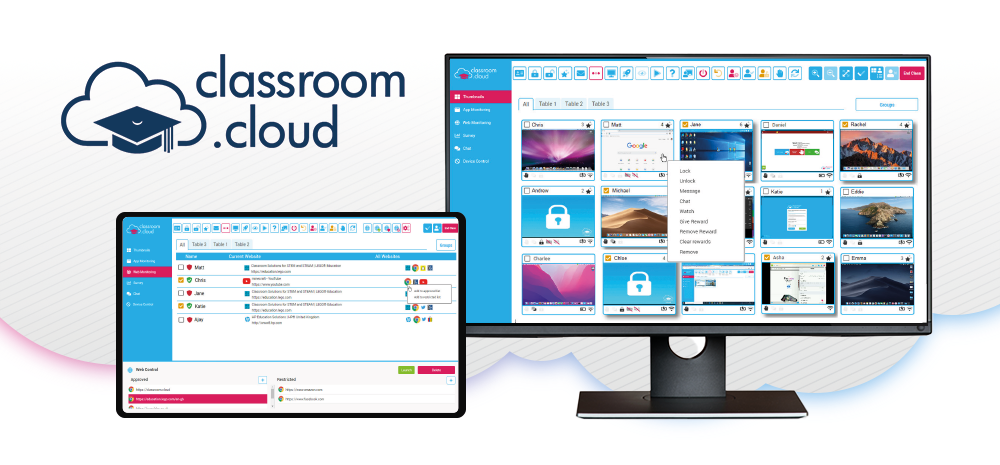
classroom.cloud is EdTech that holds the ISTE Seal for pedagogical alignment.


